Events Near You
Within 50 miles of your location
Filters
EventMappers - Discover Events Worldwide
EventMappers
Put Your Event on the Map!
Loading globe…
Timeline
What's Happening
7 events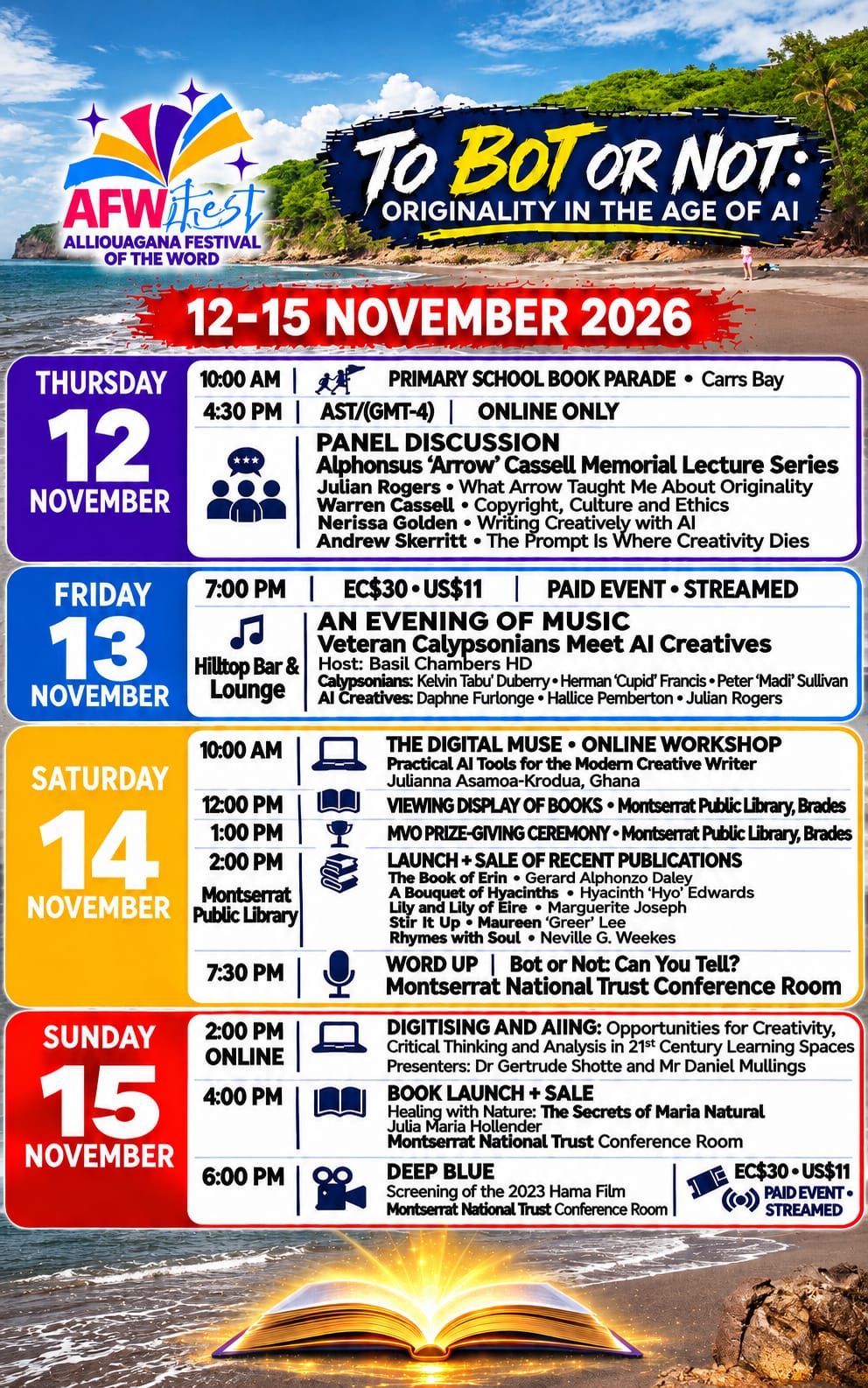
Alliouagana Festival of the Word
Hilltop cafe lounge and bar
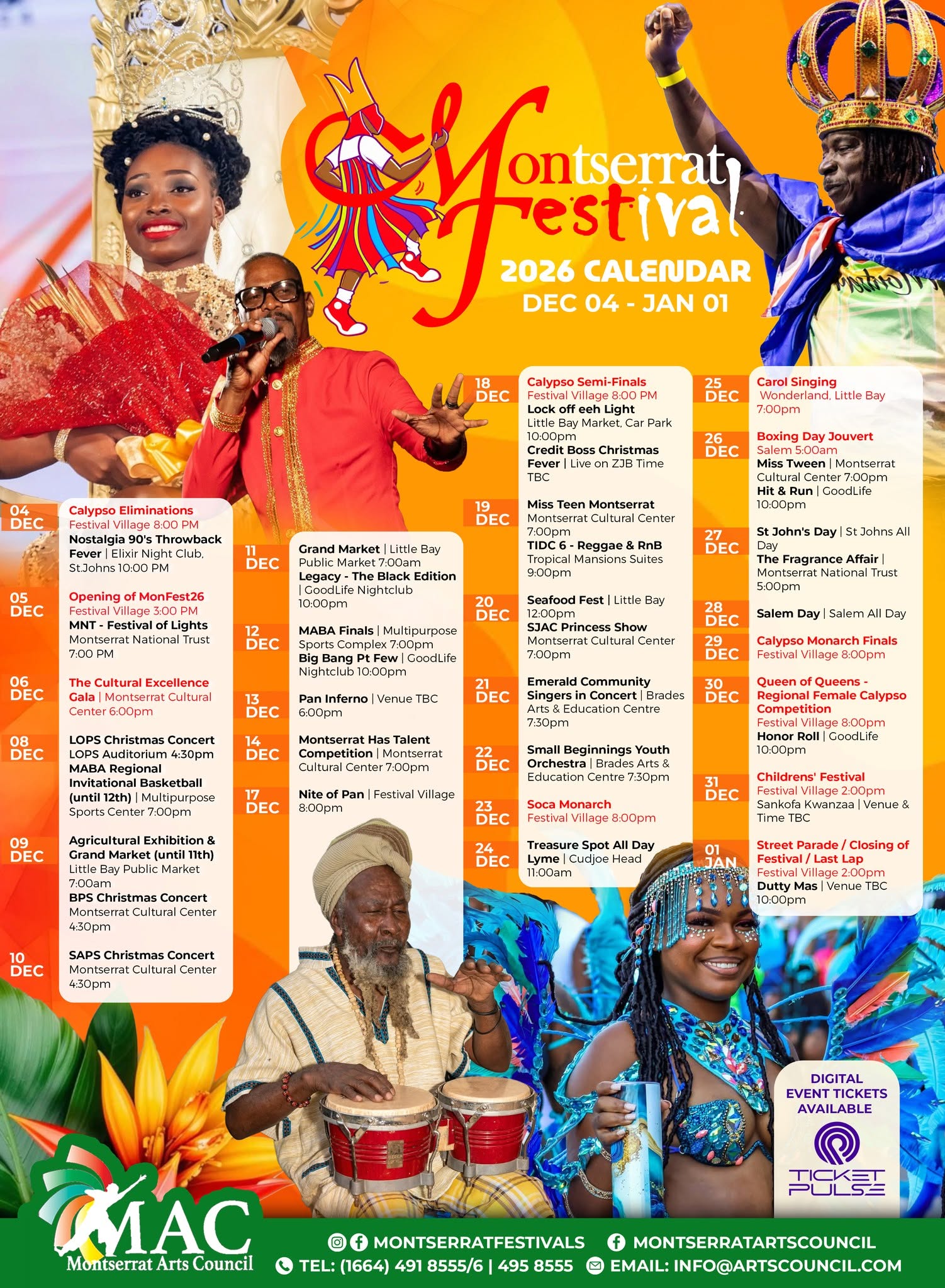
Montserrat Festivals
Festival City

Bridgerton Brunch
Hilltop Haven

Kingman Live
Kingston
Dominica Calypso Monarch Season

Masquaradaz
Old Stone Restaurant

Jazz 'n Dine
Hilltop Haven
Top Talents



Top Businesses






Discover Amazing Opportunities
Find the perfect fit for your next event or experience
For creators, businesses and organisers
Put your work on the map
Publish events, businesses, freelance services, document services, creative and technical work, and other marketplace offerings. Accept protected intake files or transfer links, send quotes, and collect payment through one workflow.
Already have an account? We’ll take you straight to the right workspace.
Events & businesses
Make your organisation or next event discoverable.
Freelance services
Offer creative, technical, document and specialist work.
Protected intake
Collect files through secure uploads or transfer links.
Quote & get paid
Turn an enquiry into a quote and verified payment.
Patron help
Good to know before you go
How do I sign in or get help with my account?
EMiD and ComeSeeTv+ Code are two names for the same sign-in identity and code. Use one account across EventMappers and its supported services. Code: enter your six-character EMiD/ComeSeeTv+ Code to sign in. Need it emailed? Open Request Tab. Request: have your existing code emailed to your registered email address. This does not create another account. Social: choose a provider only when an option is listed. Available providers can vary; if none appear, use Code, Request, or Email. Email: sign in with your account email or username and password. Use Forgot password if you cannot access your password. Register: create an account only if you do not already have one you want to use. Guest: use this checkout option only when it is offered and follow its on-screen account steps; some checkout flows may create or use a full patron account. Account-required content still requires sign-in. Entering an existing email by itself does not prove you own that account. Accountless MyWebPOS, where offered, is a separate flow. TV: pair a supported Smart TV using the instructions and code shown on this screen. This option appears only on supported TV devices. Already have an EventMappers or ComeSeeTv account? Use Request to retrieve its code. You do not need to register again. Keep your sign-in code private. If you deliberately share it with someone you trust, they can sign in as you and gain account access, not just help with one task. Prefer Login for Me or authorized device assistance when offered. Never give your code, password or tokens to strangers or someone merely claiming to be support.
How do shopping, checkout, and currency work?
Browse a listing or service, review the basket, then follow the checkout options shown for that seller. Prices can be displayed in a selected currency; confirm the final amount and currency at checkout before paying. Available payment methods are shown in the checkout flow.
Where do I find event tickets?
Open an event listing to review its details and ticket options. Ticket availability, prices, delivery, and entry conditions are set by the event and are shown in its own purchase flow.
Why might viewing or access be limited?
Viewing availability depends on the specific clip or event terms, location, account status, and any purchase or access rules shown on that item. Check the exact terms on the clip or event page; support can help interpret what is displayed.
How do Marketplace and service applications work?
Marketplace helps patrons discover businesses and services. Applying to list, sell, or provide services is a merchant or provider journey, separate from ordinary patron shopping. Review the relevant application flow for eligibility and requirements.
How can I contact support or get trusted assistance?
Open Support Agent from the help control to ask a question or continue to the available escalation options. Never share passwords or tokens publicly. Sharing a code can allow full account access; use the existing Login for Me or authorized-assist flow when available for limited help.